新NISAで暴落時に覚えておくべきこと

米国トランプ政権の関税政策により世界的に株価が暴落しています。

とくに日本市場や香港市場は歴史的な株価の下落を記録しています。

25年4月7日の日経平均株価の一日の下落幅は歴代3位。香港市場に至っては1997年の主権移譲以後で最大の落ち込みです。

新NISAで株式投資を始めた初心者の方のなかには怖くなって損切りしてしまう人も実際にいるかもしれません。

日経平均株価は2万円を割るだとか、世界恐慌になるだとか根拠も示されずに無責任な言論が飛び交っているので、個人的に覚えておいたほうがいいと思うことを公開します。

Continue reading “新NISAで暴落時に覚えておくべきこと”

How to fix your AdMob app-ads.txt whose status is either missing or not valid.

App-ads.txt helps ensure that applications with in-app ads belong to publishers. It is designed to protect publishers and developers from fraud.

Publishers are required to create an app-ads.txt for applications and upload it to the root directory of the application website listed on Google Play or the App Store. App-ads.txt file like below is provided as a code snippet on Google AdMob.


google.com, , DIRECT, 0000000000000000


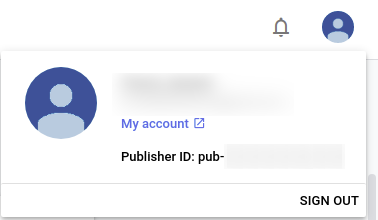
This snippet does not contain the publisher ID. You, the publisher, manually add your publisher ID, which can be found in the profile section in the upper right-hand corner, to the second field.

Unless your app-ads.txt is properly formatted, AdMob crawl status is set to “No app-ads.txt file found“. If your app-ads.txt could be accessed via AdMob app-ads.txt link and AdMob still did not find your app-ads.txt file, your file is very likely to be malformed or the character encoding of the file is invalid.

ビットマップ画像のピクセル数を指定して出力する

デジタル写真のようなビットマップ(ラスター)画像を Linux 上でサイズ数を指定して作成することは、簡単そうに見えて意外と苦労する作業です。

GIMP でファイルを開き、Rectangle Select で範囲を選択し、Tool Options からサイズを数値で指定して保存しても、出力された PNG/JPG ファイルは微妙にピクセル数が変わっていたりします。

たとえば、1200 x 800 px のピクセル数で保存しようとしても、実際に出力されたファイルを確認してみると 1197 x 798 px のように期待したピクセル数と異なることは珍しくありません。

画像の縦横比だけが問題となる場合は良いですが、Google Play Store にアプリを公開する場合のように厳密にピクセル数を指定されている場合、非常に困ることになります。

どうにかして指定のピクセル数でファイルを出力できないかと設定をいじったり、別のツールを試したりしましたが、結局、ImageMagick を用いて画像のフォーマットを変換することが最短の解決法だと結論づけました。

ImageMagick を用いた画像のサイズ変更では mogrify を使用してファイルを一括変更することが多いかと思われますが、この方法ではうまく行きません

どうするのかと言えば、本来は画像のフォーマットを変換するコマンドである convert を使用して出力サイズを指定してして変換を行います。

$ sudo apt-get install imagemagick
$ convert input.png -resize 1024x500! output.png

なんだかなぁという気がしますが、やりたいことはこれで達成できます。